Find and compare world listings
Search world listings and check what the seller is including in the price.
Your plan must include world market access.
Find a world
-
Search for a world
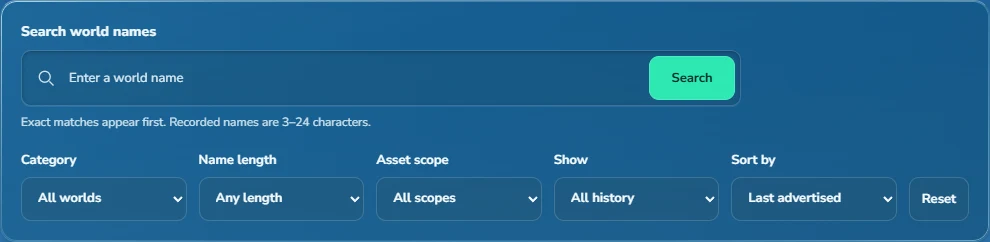
Enter a name in Search world names and select Search. Exact matches appear first. To browse instead, leave the name blank and use Category or Name length.
-
Choose what's being sold
Under Asset scope, choose Whole world, Name only, Main lock only or Design only.
 View full size
Check the original offer
-
Open the world
Open a world and check Active asking prices. Advertisements shows its recorded posts. Asking-price history shows stated prices for individual whole-world and name-only listings.
-
Filter the history
Choose a Period and Sort by option. Expand Original ad text or select Messages to read the post.
-
Confirm with the advertiser
Confirm the price unit, included contents and sale conditions with the advertiser. An ad marked Active hasn't necessarily been checked recently for availability or ownership.
Missing prices and listings
What do Offers invited, No asking price stated and Sold mean?
Offers invited means the advertiser is asking for offers. No asking price stated means the ad doesn't specify a price. Neither means the world is free. Sold is the status recorded in the ad; Tradetopia doesn't verify the transaction or ownership.
Why is an ad absent from asking-price history?
Asking-price history excludes budgets, received bids, income figures and stock values. It also excludes main-lock and design-only ads. Open Advertisements to see the original wording.
Why is a world or source link missing?
Tradetopia doesn't record every world ad. A world missing from search may still be available in-game. A source link is shown only when one was saved with the listing. If the page failed to load, select Try again.
Updated 27 September 2026.
