Read prices, charts and listings
Use price history and recent listings to compare offers, then calculate a total for the quantity you need.
Basic listings are public. Your plan must include charts and the trade calculator to use those features.
Read the chart
-
Choose the item and period
Open an item page, such as Heather Bush. Choose 24H, 7D, 30D or ALL to change the chart's date range.
-
Compare buy and sell prices
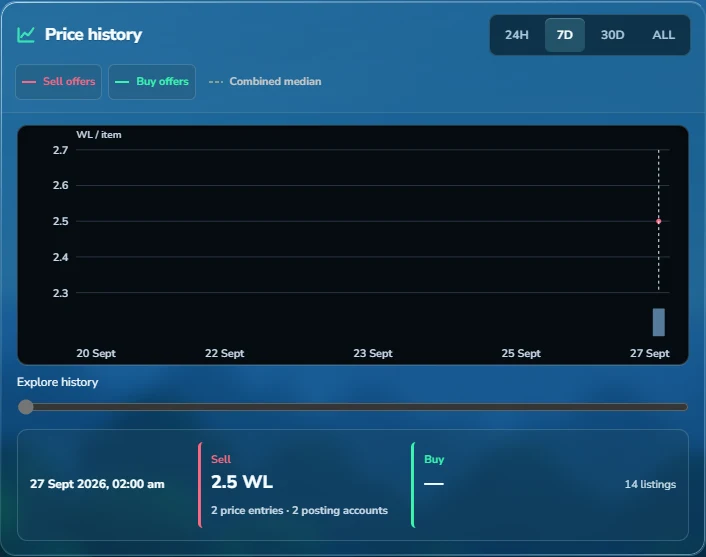
Sell offers show what sellers are asking. Buy offers show what buyers are offering. Select a series button to show or hide its line. Combined median includes both.
-
Read a point on the chart
Move the Explore history slider to see a point's price, date and number of listings. Check any notice about missing or limited data.
 View full size
Find an offer
-
Choose WTS or WTB
Under Recent listings, use WTS to find sellers or WTB to find buyers.
-
Filter the listings
Set Period → Last 1D and Sort → Newest. Expand a listing or select Messages to check the price unit, stock and sale conditions.
Calculate a total
-
Choose Price basis
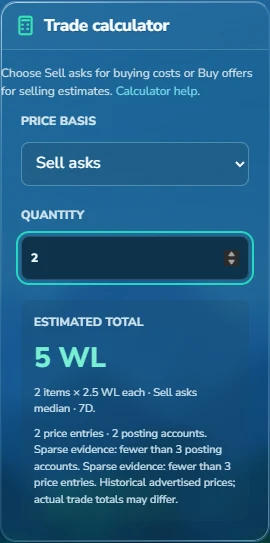
Under Trade calculator → Price basis, choose Sell asks to estimate buying costs or Buy offers to estimate what you might receive. Combined buy + sell includes both sides.
-
Enter Quantity
Enter the number of items in Quantity. Check the unit price and date range below Estimated total, then confirm the price and available stock with the trader.
 View full size
Other chart features
What do the price-spread bars mean?
Included price spread shows how many price entries fall into each price range. Its Sell, Buy and Combined buttons change these bars only. The counts refer to ads, not completed trades.
How do I compare Gems?
On the Gems page, use Chart source to choose Break, Harvest, Soil, Recycle, Mixed or Unspecified. The listings have a separate source filter, so set both if you want them to match.
Is this a seed, block or pack price?
Check the full item name. A pack price is for the named pack, not each item inside. Open Growtopia Wiki item details if unsure.
What are posting accounts and price entries?
Posting accounts counts the Discord accounts used in the calculation. Price entries counts the offers after matching prices for the same world are grouped together. Listings can include reposts. See how prices are calculated.
Updated 27 September 2026.
